Arduino Pet Food Dispenser with Touch
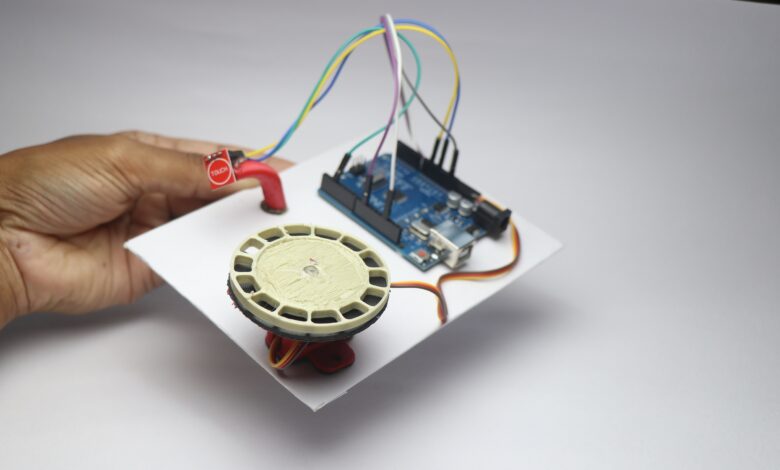
Hello readers in this project i made this Arduino Pet Food Dispenser that is activated by touch and dispenses food for your small pets.
This is primarily used for fish food dispensing where small amount of food only needs to be fed to them.
You may now ask instead of dispensing the food using the touch why not feed directly?
Main reason is hygiene and the other being the quantity of food that the specific pet needs.
By this dispenser you can dispnese only the required amount of food.
So that your pet can be full always yet stay healthy.
I have given a complete step by step building tutorial along with a working video.
You may also like my previous project on arduino oled clock.
To begin with gather these components first, Arduino Uno, Touch sensor and micro servo.
Arduino Pet Food Dispenser Circuit Diagram
This is the circuit that we are going to make for this project.
Its a simple circuit let me explain that for you.
The micro servo has 3 pins out of which the signal pin goes to D9 on the uno.
Ground and Vcc goes to Gnd and Vcc pin of the uno board.
Touch sensor power pins goes to gnd and Vcc whereas the signal goes to D2 pin on the uno.

After these connections are complete we can proceed to upload the program to uno.
I will be powering the uno via the programming cable and its sufficient for this project.
Automatic pet feeder project code
Open your Arduino IDE on computer and connect uno via the cable and paste this code inside your IDE.
#include <Servo.h>

#define TOUCH_PIN 2   // Signal pin from touch sensor
#define SERVO_PIN 9   // Servo control pin

Servo myServo;

int angle = 0;             // Current servo angle
bool lastTouchState = LOW; // Store previous touch state

void setup() {
  myServo.attach(SERVO_PIN);
  pinMode(TOUCH_PIN, INPUT);
  myServo.write(angle);    // Start at 0 degrees
  Serial.begin(9600);
}

void loop() {
  bool touchState = digitalRead(TOUCH_PIN);

  // Detect rising edge — single touch
  if (touchState == HIGH && lastTouchState == LOW) {
    angle += 30; // Move by 30° each touch
    if (angle > 180) {
      angle = 0; // Reset if beyond 180°
    }
    myServo.write(angle);
    Serial.print("Servo moved to: ");
    Serial.println(angle);
    delay(300); // Small debounce delay
  }

  lastTouchState = touchState;
}
d
if you want to make changes in the program such as the movemenet of servo angle or the touch patterns you can do that also.
I have written a program to activate the servo upon a single touch you can change this accordingly to your needs.
How to use Arduino Pet Food Dispenser
The servo shaft can be connected with different attachments that follows the same mechanism for almost all type of food dispenser.
I used a 3d printed food dispenser here so to dispense fish food in small quantities.
This 3d printed dispenser has many holes in which the food will be stored and come out when the shaft rotates.
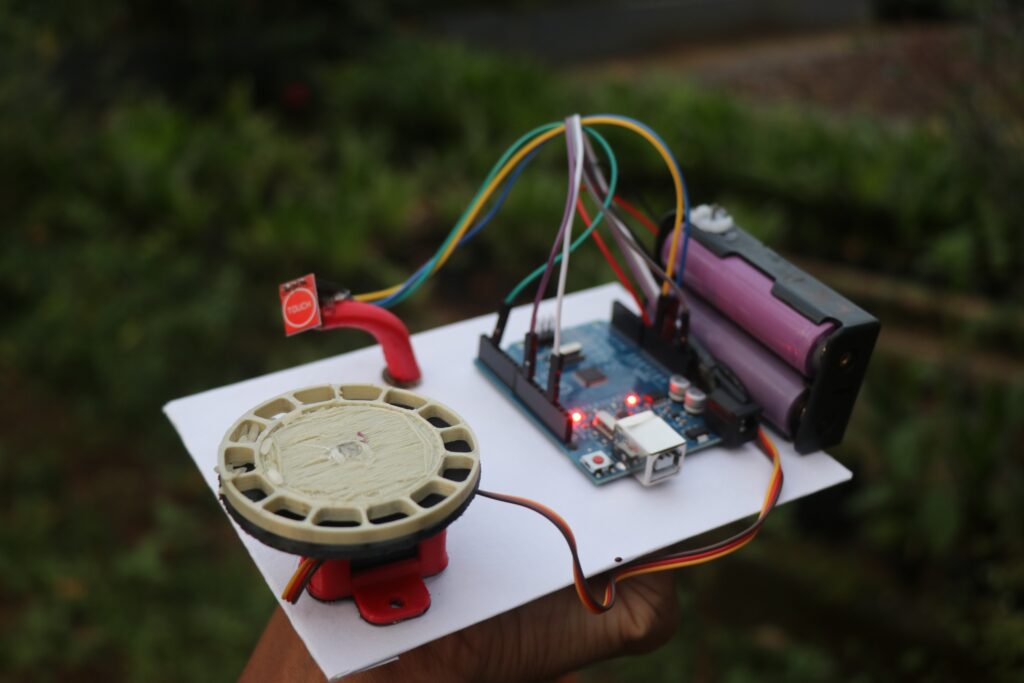
I have made this touch sensor to activate when i single tap on it and when i tap again the servo rotates.
Like i said earlier this can be changed in the code also.
This was all about this touch activated food dispenser project, If you have any questions ask in the comments.